Is your PC running slower lately? Getting memory error messages? Thinking about an upgrade? If any of this sounds familiar, you’re not alone.
When you research memory, terms like “DRAM“, “DDR4”, and “DDR5” fly about, and there’s another complication: as of November 2025, memory prices in the UK market have shot through the roof. For instance, a 16GB DDR5-5600 module has jumped into the £70-90 range—an extraordinary situation.
This article covers everything from the basics of how DRAM works to why prices have surged in 2025, and tells you how to choose the right memory for your needs. So keep reading through to the end!
What Is DRAM Meaning?
You’ve probably heard of DRAM, but what is it exactly?
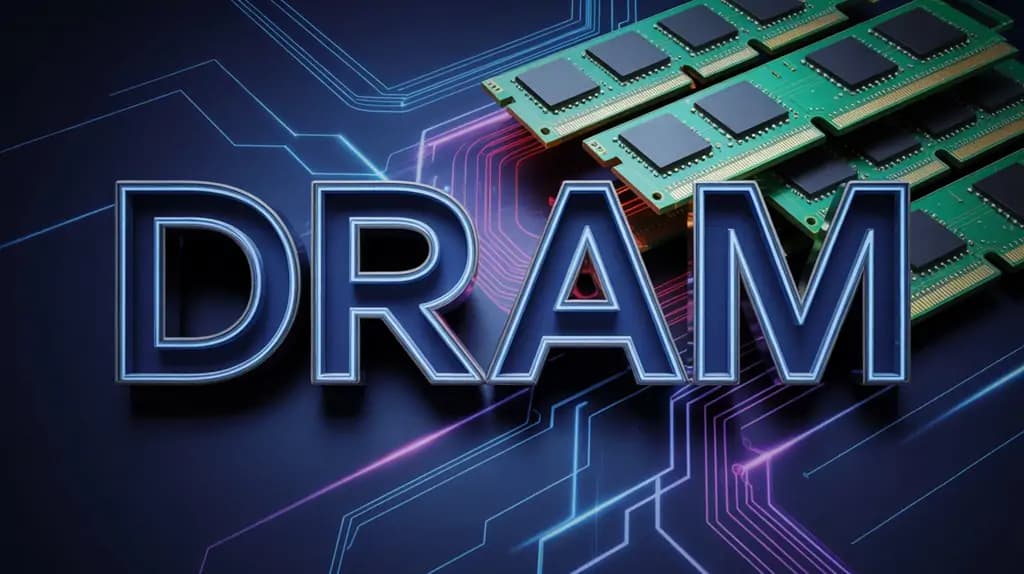
DRAM means Dynamic Random Access Memory. It’s the main memory in your PC or smartphone. When you hear ‘memory’ or ‘RAM,’ that’s DRAM.
4 Types of Memory: An Overview
Computers use several different types of memory, each with distinct characteristics:
| Memory Type | Characteristics | Primary Use | Volatility |
|---|---|---|---|
| DRAM | High density, low cost, requires periodic refresh | PC main memory | Volatile (data lost when powered off) |
| SRAM | High speed, no refresh needed, expensive | CPU cache | Volatile |
| Flash Memory | Non-volatile, limited write cycles | SSDs, USB drives | Non-volatile (data retained when powered off) |
| ROM | Read-only, non-volatile | BIOS, firmware | Non-volatile |
As you can see, DRAM is “volatile”—it loses all data when the power goes off.
“Isn’t that inconvenient?” you might think, but this characteristic is precisely what allows DRAM to be manufactured in large capacities at relatively affordable prices.
DRAM Structure and Operating Principle
The “D” in DRAM stands for “Dynamic”. So what’s dynamic about it? It’s all down to how data is stored.
DRAM is built from tiny circuits combining capacitors and transistors. Data is stored as electrical charge in the capacitors, but here’s the catch: these capacitors naturally leak charge over time.
That’s why “refreshing” is necessary—every few milliseconds, the charge must be topped up. This occurs continuously while the DRAM is operating. This need for periodic recharging is what makes it “dynamic”.
By contrast, SRAM (Static RAM) doesn’t require refreshing as long as it has power. However, SRAM is far more complex and expensive, so it’s only used in limited applications like CPU cache.
Why DRAM Matters in Your PC?
What role does DRAM actually play in your computer?
Think of DRAM as the CPU’s worktop. When your CPU executes programmes, it temporarily places the necessary data and programme code in DRAM, where it can be read and written at high speed.
Storage (SSDs or HDDs) is like a bookshelf—great for long-term storage of large amounts of data, but access speed is far slower than DRAM. If the CPU had to fetch data directly from storage, processing would grind to a halt.
That’s why active programmes and data are temporarily copied to DRAM for rapid access. When DRAM capacity is insufficient, the CPU must constantly communicate with storage (called “swapping”), and your PC’s performance drops dramatically.
In practice, modern PCs show:
- Web browsers: Multiple tabs can consume several gigabytes of memory
- Video editing software: 4K editing can easily use 10GB or more
- Gaming: Modern AAA titles routinely recommend 16GB or more
In other words, without sufficient DRAM, even the most powerful CPU or GPU can’t perform to its potential.
Understanding DDR Generations (DDR4 and DDR5 Basics)
Finally, let’s address terms like “DDR4” and “DDR5”.
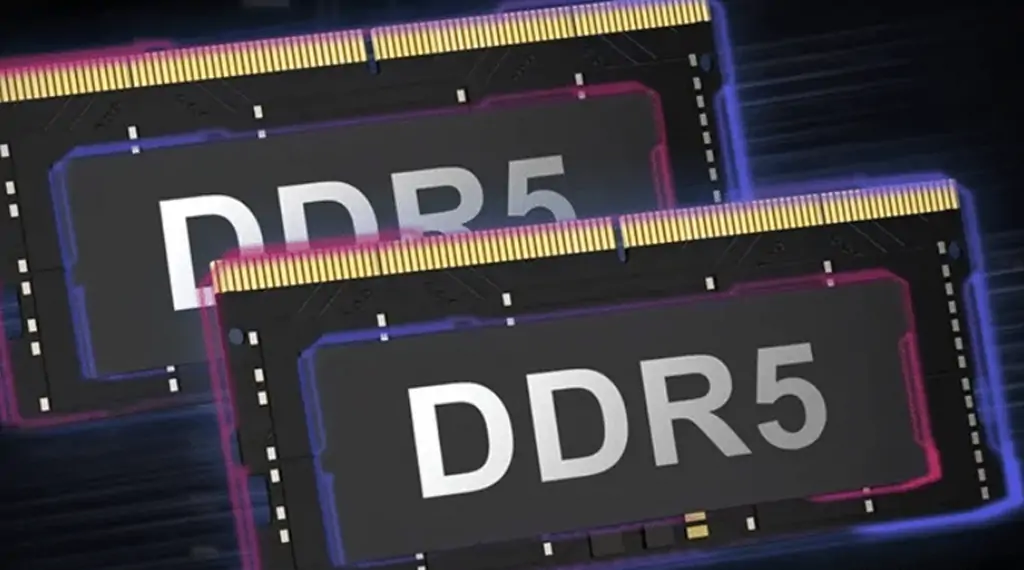
DDR stands for “Double Data Rate” and refers to DRAM specifications. Higher numbers indicate newer generations, which are generally faster.
However, “DDR5 is faster, so it’s always better” isn’t quite right. The practical speed difference is noticeable mainly in specific applications—video editing, 3D rendering, or high-FPS gaming. For everyday use or Office work, DDR4 performs perfectly well. Moreover, DDR4 and DDR5 aren’t compatible with each other. If your motherboard supports DDR4, you can only use DDR4 memory, and likewise for DDR5. When upgrading, always check which type your PC supports.
Click to read more about DDR4 vs DDR5 RAM: Is Upgrading Worth It in 2026?
DRAM vs SRAM
“I understand DRAM is main memory, but how does it differ from other types?” Fair question. Let’s clarify the distinctions between DRAM and commonly confused memory technologies.
SRAM vs DRAM: The Speed and Capacity Trade-off
Despite similar names, SRAM and DRAM are completely different technologies.
Structural Differences:
- DRAM: Stores data using one transistor plus one capacitor. Simple structure allows high-density integration, but capacitor charge leakage requires periodic refreshing.
- SRAM: Uses six transistors to form a flip-flop circuit for data storage. No refresh needed and very fast, but complex circuitry consumes significant chip area.
Practical Differences:
| Aspect | DRAM | SRAM |
|---|---|---|
| Speed | Moderate (tens of nanoseconds) | Ultra-fast (few nanoseconds) |
| Cost per GB | Affordable | Expensive (tens of times more) |
| Power Consumption | Moderate (refresh operations) | Low (static operation) |
| Application | Main memory (8GB-128GB) | CPU cache (few MB) |
Put simply, SRAM is fast but expensive; DRAM is slightly slower but much easier to scale up. That’s why SRAM is used inside CPUs (L1/L2/L3 cache) whilst DRAM serves as main memory.
In practice, your CPU keeps its most frequently used data in high-speed SRAM cache, with everything else in DRAM. This hierarchical structure is what enables modern PCs to operate at such high speeds.
SSD DRAM Cache and “DRAM-less SSDs”
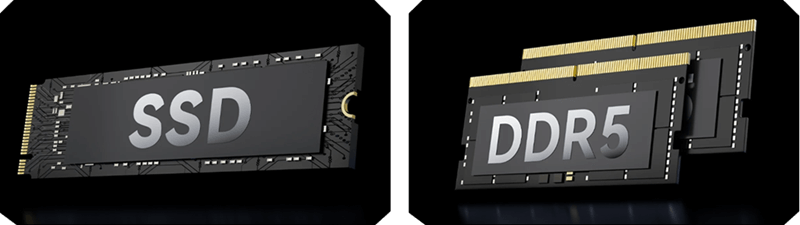
Here’s where things get a bit complicated: SSDs sometimes contain DRAM internally, called “DRAM cache”.
DRAM Cache SSDs: Include a small DRAM chip inside the SSD to temporarily buffer write data and accelerate file management operations. This improves random access performance, particularly for small file operations.
DRAM-less SSDs: Omit the DRAM cache to reduce costs. Instead, they use part of the SSD’s own flash memory as cache (SLC caching) or borrow a portion of your PC’s main memory (HMB: Host Memory Buffer technology) to maintain performance.
Practical Differences?
Honestly, in 2026, for everyday use there’s barely any noticeable difference. Whether you’re storing photos and videos, installing games and applications, or backing up data—even when using it as your OS boot drive—modern NVMe DRAM-less SSDs (with HMB support) offer perfectly adequate performance and stability.
The main concerns were with older SATA DRAM-less SSDs, which sometimes had durability issues. But since NVMe SSDs are now mainstream, there’s nothing to worry about with recent products.
DRAM cache becomes clearly advantageous only in specialist scenarios—database servers, virtual machine hosts, and other applications requiring massive random access to small files. If budget permits, it’s reassuring to have, but for typical use, “DRAM-less” is absolutely fine.
The Relationship with Flash Memory
Finally, a word about flash memory. The storage medium inside SSDs is actually flash memory.
Flash Memory Characteristics:
- Non-volatile (retains data when powered off)
- Limited write cycles (causes SSD wear)
- Slower than DRAM but generally far faster than HDDs
USB drives and SD cards also use flash memory technology. In other words, SSDs, USB drives, and SD cards all share a common foundation: they’re “non-volatile storage using flash memory”.
DRAM, by contrast, is volatile and uses completely different technology from flash memory. Despite both being called “memory”, their applications and characteristics are entirely different.
Reading DRAM Specifications and Checking Compatibility
“What does DDR4-3200 mean? Are bigger numbers faster?” “How do I find compatible memory for my PC?” These are universal questions when buying memory for the first time. Here’s how to read specification sheets and make the right choice.
Basic DRAM Specifications
DRAM Specification Summary:
DRAM Specification Summary
- Generation: DDR4 / DDR5. Always verify motherboard compatibility.
- Transfer Speed: Higher numbers mean faster performance. Differences show in demanding tasks.
- Capacity: 16GB (minimum), 32GB (comfortable), 64GB+ (creative work).
- CL Value: Lower numbers indicate better performance.
When you look at memory product names like “DDR4-3200 16GB CL16”, you’re seeing four key specifications. Let’s examine each one.
1. DDR4 / DDR5 (Generation)
This tells you the generation. DDR4 and DDR5 are physically incompatible, so you must choose the generation your motherboard supports. Get this wrong, and the memory physically won’t fit, so always check before purchasing.
2. The Number (Transfer Speed)
Numbers like “3200” or “5600” represent data transfer speed in MT/s (mega-transfers per second). Higher numbers mean faster performance.
- DDR4: 2133-3200 is standard, high-end reaches 3600-4000
- DDR5: 4800-6000 is mainstream, latest models exceed 6400
However, noticeable real-world performance differences depend on your use case. For web browsing or Office work, there’s honestly little difference between DDR4-2666 and DDR4-3600. Differences emerge in demanding tasks—video editing, gaming (especially high-FPS targets), and 3D rendering.
3. Capacity
This one’s straightforward. For modern PCs:
- Minimum: 16GB (realistic starting point)
- Comfortable general use: 32GB (gaming and multitasking)
- Creative work: 64GB or more
4. CL (CAS Latency)
Specifications like “CL16” or “CL18” represent data access delay, with lower numbers indicating better performance. However, real-world differences are often subtle. Simply choose the lower CL value if prices are similar.
Checking Motherboard Compatibility
Before buying memory, always verify these points:
1. DDR Generation: First, determine whether your motherboard supports DDR4 or DDR5. Check the product manual or manufacturer’s website. If you built your own PC, you’ll likely remember; for pre-built systems, check the support pages.
2. Supported Speed: Motherboards have maximum supported memory speeds. If it says “supports up to DDR4-3200”, faster memory (like DDR4-3600) will simply run at 3200. It won’t break anything but you’re paying for performance you can’t use.
3. Maximum Capacity: Motherboards do have maximum capacity limits (e.g., “supports up to 64GB”). That said, 2026 motherboards support ample capacity for typical uses, so this needn’t be a major concern. Worth checking, just in case.
The Importance of Dual-Channel Configuration
To extract maximum memory performance, “dual-channel” configuration is crucial. Using two memory modules together doubles the data transfer bandwidth. For example, if you want 16GB:
- 16GB × 1 module: Single-channel
- 8GB × 2 modules: Dual-channel (this is faster)
Simply remember: for the same total capacity, two modules perform better than one. The effect is particularly significant when using integrated graphics or gaming.
💡 Installation Tip
Motherboards typically have 2 or 4 memory slots. For dual-channel with 2 modules, don’t install them side-by-side—skip a slot between them (your motherboard manual will specify something like “use A2 and B2 slots”). Install them incorrectly and you’ll lose the dual-channel benefit despite using two modules.
2026 DRAM Market Trends and Smart Purchase Timing
“Why is it so expensive?” Many people are shocked by current memory prices. As of November 2025, the UK memory market is experiencing abnormal price inflation. Let’s discuss the reasons and what to do about it.
Why Have Prices Surged?
Simply put: manufacturers are prioritising AI chip production. Major manufacturers like Samsung, SK hynix, and Micron are redirecting their facilities away from standard PC DRAM towards high-profit memory for AI GPUs. Meanwhile, demand for AI datacentre memory has exploded, leaving PC DRAM in short supply.
In reality, DDR5 memory jumped by over £60-70 from October to November. May 2025 was the price floor, and it’s been climbing ever since.
💡 Should You Buy Now or Wait?
Frankly: if possible, wait until 2026. Prices are expected to keep rising for the foreseeable future, and now is clearly not a “buying opportunity”.
However, if your PC has failed or you need memory for work, there’s no point waiting indefinitely. In that case, stick to minimum necessary capacity and avoid over-specifying. If you ideally want 64GB, start with 32GB and add more when prices stabilise. For DDR4 motherboards, DDR4-3200 remains a perfectly practical choice.
If it’s not urgent, wait. If you need it now, calmly select adequate—not excessive—specifications. That’s the smartest approach in today’s market.
Choose DRAM by Use Case with Recommended Configurations
“How much memory do I actually need?” Required capacity and speed vary greatly depending on use. Here’s guidance tailored to real-world applications.
Gaming Use
For modern games, 16GB is the baseline, whilst 32GB provides comfortable performance. If you want to play AAA titles at high settings or stream whilst gaming, opting for 32GB offers peace of mind.
Regarding speed, for DDR4 motherboards, DDR4-3200 CL16 or DDR4-3600 CL18 are solid choices. For DDR5, DDR5-5600 CL36 provides ample performance.
Brand Selection: Corsair, Crucial, Kingston, and G.Skill are established brands readily available in the UK.
Creative Work
For 4K video editing, 3D rendering, or handling large photo libraries, 32GB is your starting point. For serious work, consider 64GB or more.
Speed also matters here—DDR5-5600 class memory makes previews and effects processing noticeably smoother. Particularly beneficial for After Effects or DaVinci Resolve users.
Business and General Use
For Office work, web conferencing, and browsing, 16GB suffices. However, as 32GB has become mainstream pricing in 2025, if budget allows, opting for 32GB ensures longer usability.
Speed isn’t particularly important here, so mainstream specifications like DDR4-3200 or DDR5-4800 work perfectly. Rather than spending on high-speed memory, increasing SSD capacity is more practical.
Practical Selection Summary
Given 2025’s price inflation, “start with 32GB and assess” is wiser than “64GB immediately”. Adding more when prices settle could prove more economical.
Choose specifications adequate for your needs without forcing yourself towards high-end options. That’s the most cost-effective approach in today’s market.
Conclusion
Despite the challenging 2025 DRAM market with its price surges, making smart choices is straightforward once you grasp the essentials. The key points are simple: your motherboard’s DDR generation, your required capacity, and dual-channel configuration. Master these three and seemingly complex memory selection becomes manageable.
Purchase timing is admittedly difficult at present, but there’s no need to panic. Wait if you can; if you need memory now, start with the minimum requirements. Either choice is correct if it suits your situation.